A complete HDPE weld management solution.
The web side of Polypal, for supervisors and business owners. Manage your team of welders and fusion machines with access to every weld they complete all in one place. Track work by site or job, and export a client-ready compliance report whenever you need one.
Get early accessThe Polypal Portal launches soon. Register your interest and we'll let you know when it's live.
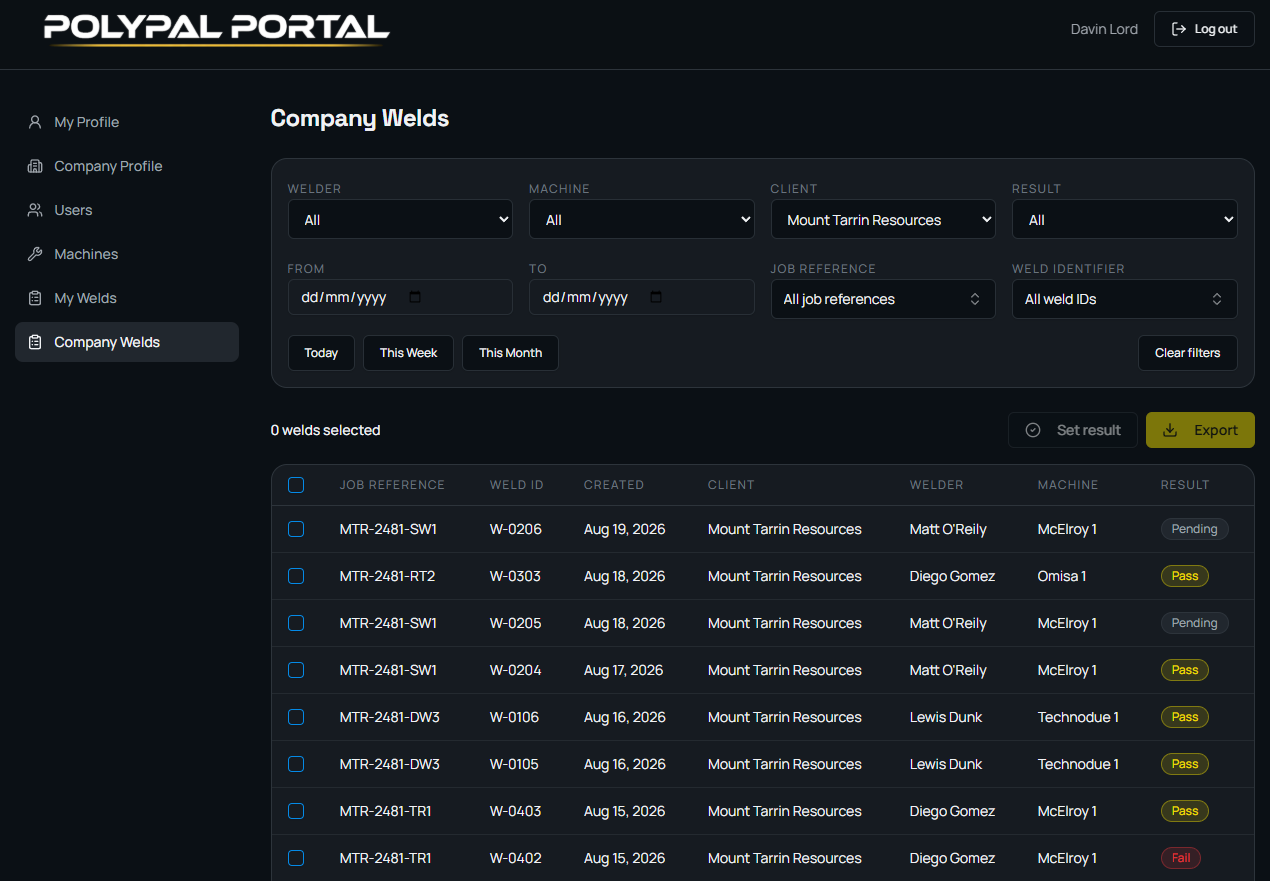
Built for the way welding companies actually work.
Track by welder or by machine
See the work either way. Filter a job by the welder who did it, or by the machine that made it, whichever matches how you run your crews.
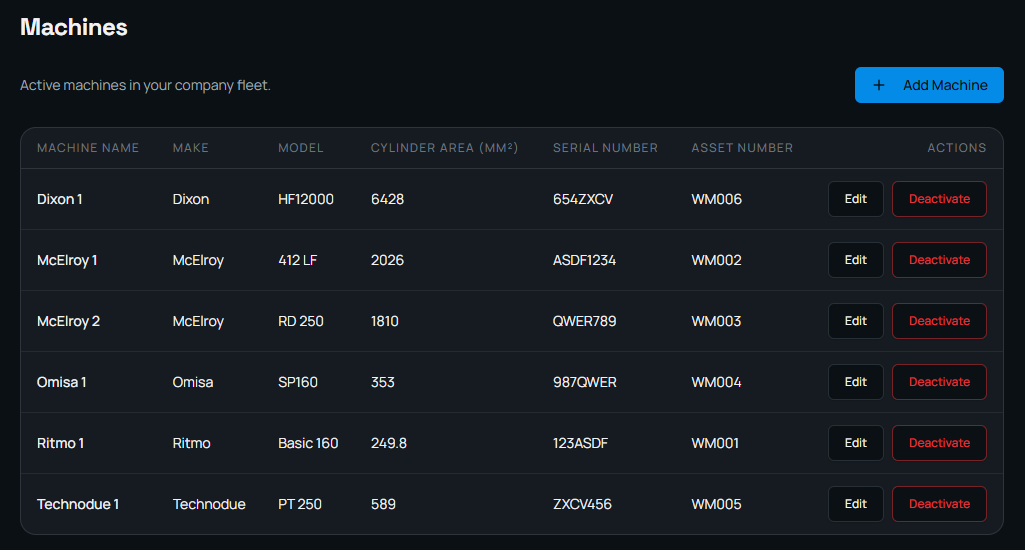
Your fleet, in the app
Build a register of the machines your company actually owns. Your welders pick from your fleet instead of scrolling a global list.
One organisation-wide record
Field welds sync into a single company record instead of sitting on individual phones and tablets.
Generate reports your clients will thank you for
A report for a job or a date range, with your own logo on it, as a PDF or a CSV.
Records stay with the company
When a welder moves on, the weld history stays where it belongs, with your business.
Works with or without signal
Welders keep working offline. Welds sync when the device gets a connection; nothing waits on the network.
The machines you own, not a list of everything that exists.
Add your company's machines once in the Portal — make, model, cylinder area, serial and asset number — and your welders can select the machine from within the app.
The part your client actually sees.
Pick a job or a date range and Polypal builds the report from the welds themselves. Four panels: job and operator, pipe and standard, machine and conditions, then every pressure, time and GPS position — with the welder's certification number against each weld. Put your own logo on it, export it as a PDF for the client, or to Excel as a CSV if you need the raw data.
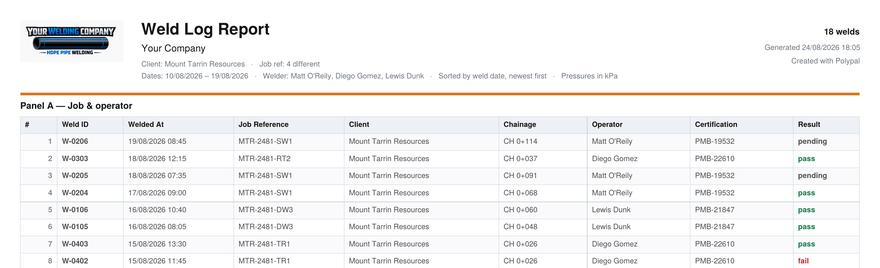
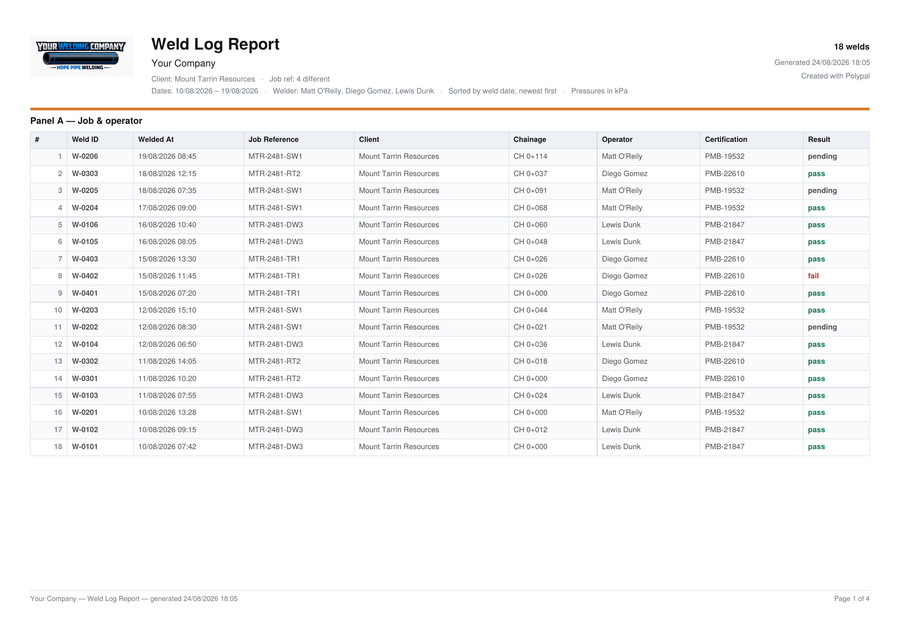
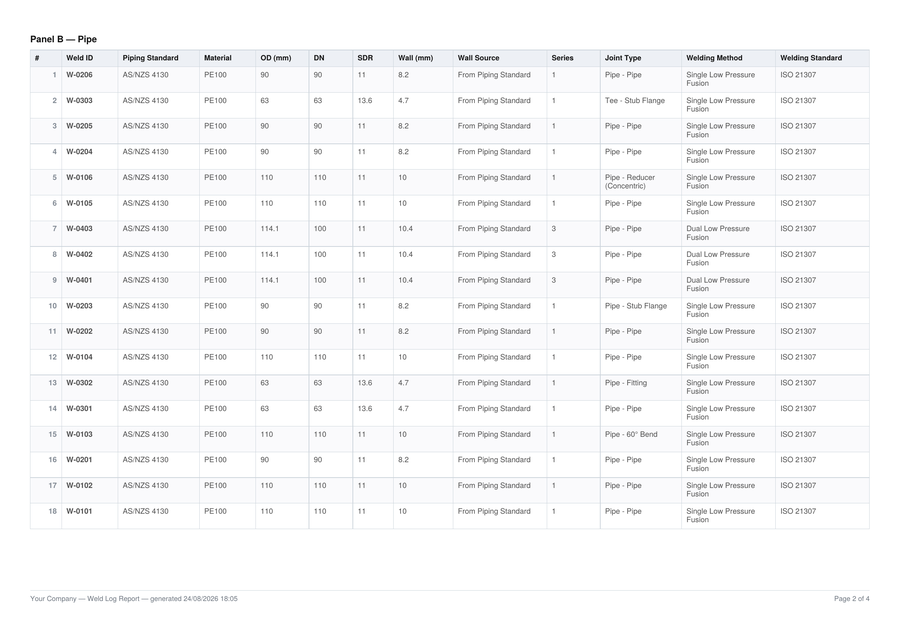
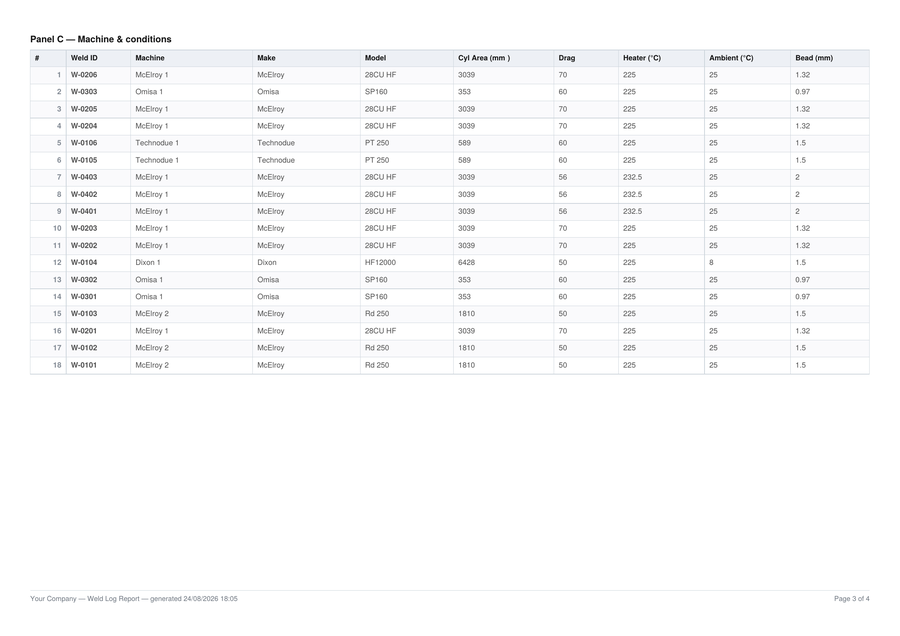
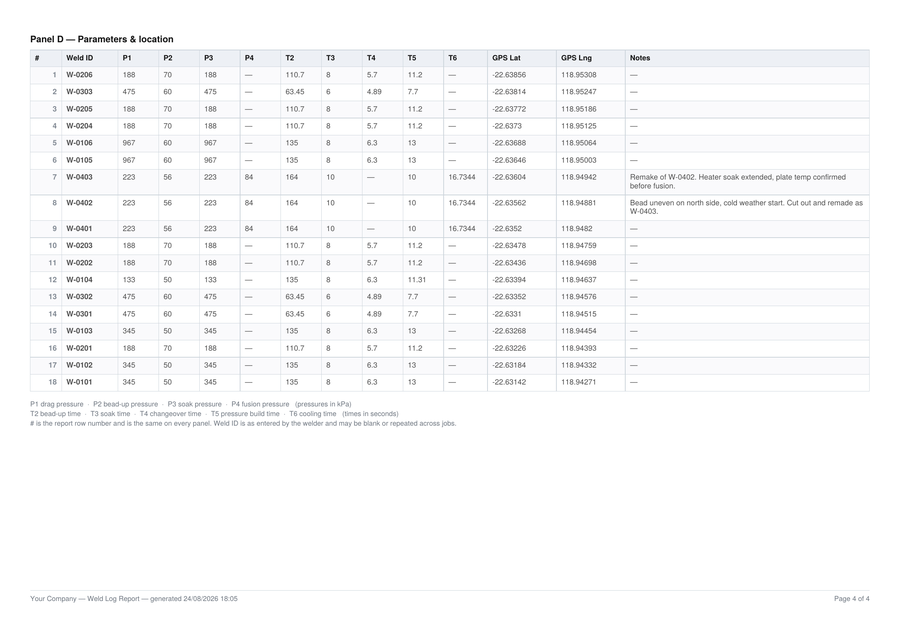
Every report runs to four panels, generated from the weld records.
See pricingThe Portal is still growing.
New capability lands regularly — weld mapping, richer reporting and more. If there's something your business needs, tell us. Features get built because welders and supervisors ask for them.
Get early access
Register your interest and we'll let you know the moment the Portal is live.